|
iQue Forecyt® Reference Guide (Version 9.0)
|
Overview of the Protocol Screen
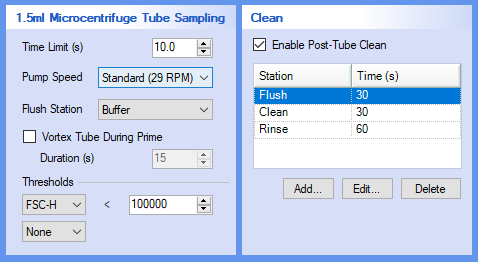
Clicking on Protocol brings up a window with 6 panes, as shown in the following screenshot. Each pane is related to a specific aspect of instrument sample acquisition. While you can customize all of the settings, there are certain settings iQue® recommends.
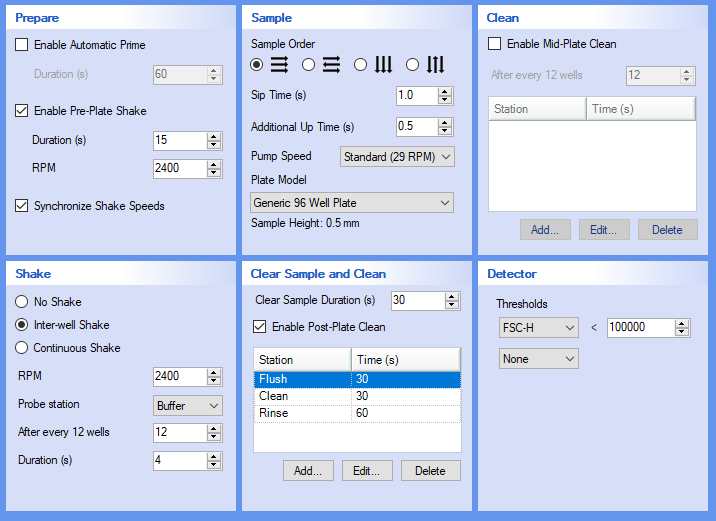
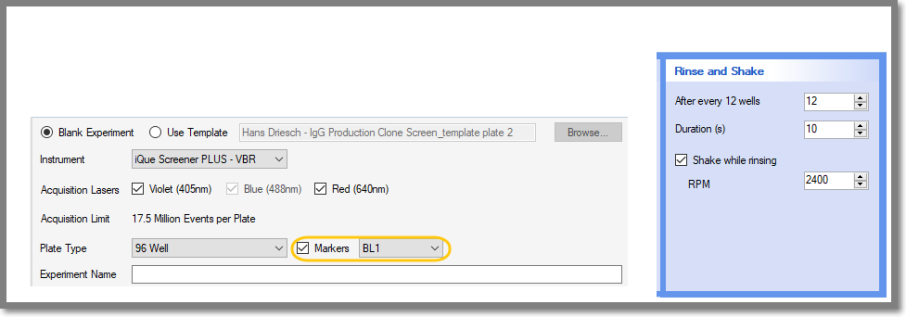
If you specified Markers in New Experiment there will be a Rinse and Shake pane instead of a Shake Pane.
If you are using microcentrifuge tubes, Protocol will have only two panes, 1.5 ml Microcentrifuge Tube Sampling and Clean.